
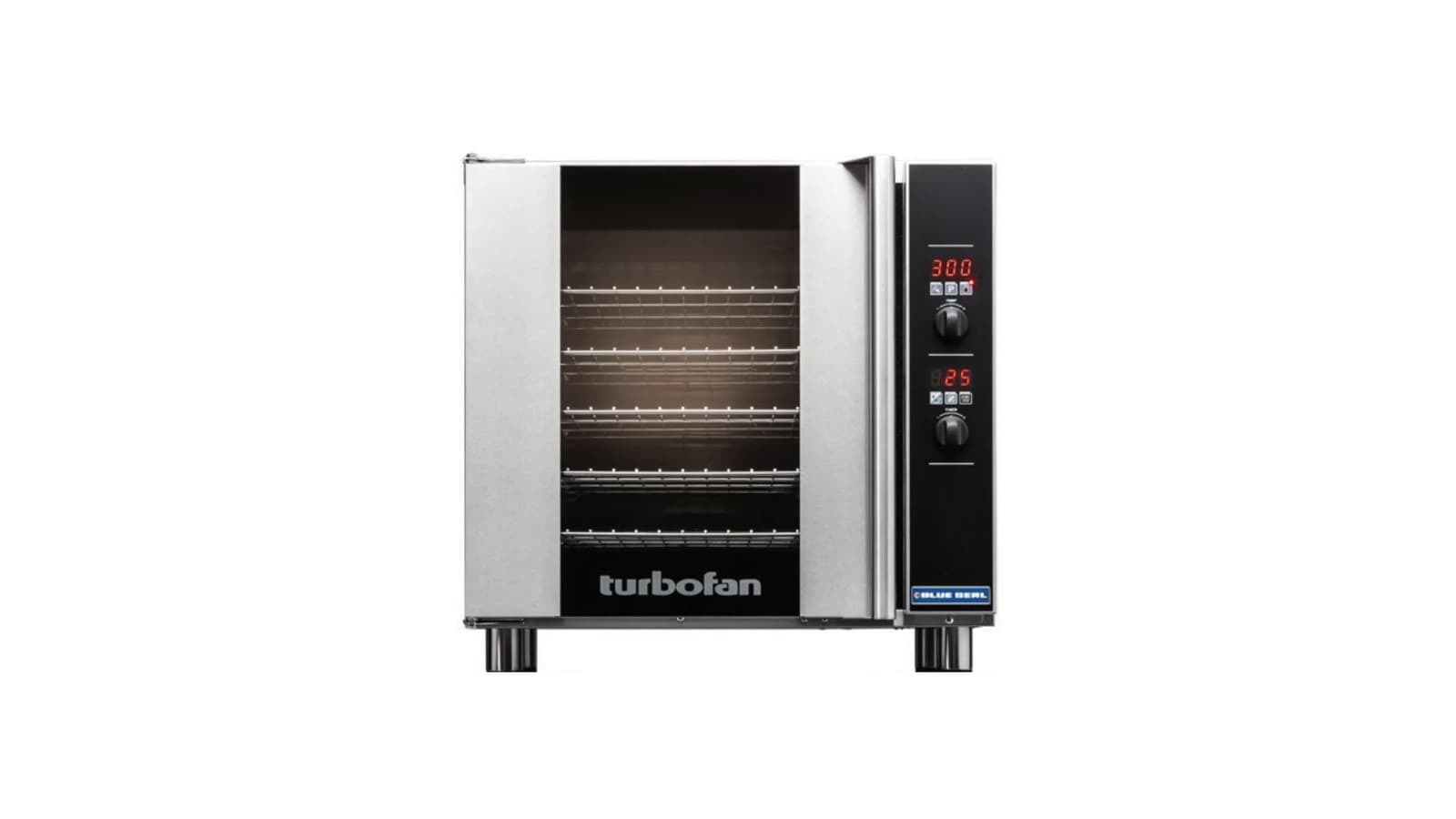
This guide covers the correct use and care of Turbofan convection ovens, holding cabinets, and proofers as detailed in the manufacturer's installation and operation manuals. Follow these steps to ensure safe installation, efficient daily operation, and effective cleaning for long equipment life.
Key takeaways
- Always have a qualified, licensed installer handle electrical, gas, and water connections per local codes.
- Adhere to the specific clearance distances from the installation manual to maintain proper ventilation.
- Regular cleaning of the oven interior, fan baffle, and door seal is essential for performance and safety.
- Use the correct operating mode and temperature settings for proofing versus holding in proofer/holding cabinets.
- For repairs, contact the manufacturer's authorized service network.
Which Turbofan model do you have?
Turbofan's lineup includes several series covered by different manuals. The E22M3, E23M3, E27M2, E27M3, and E28M4 half- and full-size electric convection ovens with manual controls are detailed in the Installation and Operation Manual for the E20M Series. The E32T5 full-size touch-screen oven is covered by its own Installation and Operation Manual (E32T5).
Digital hot holding cabinets — the H8D-UC, H8D-FS-UC, H10D, and H10D-FS — are addressed in the Installation and Operation Manual for the H8D-UC / H8D-FS-UC / H10D / H10D-FS Series. Touch-screen holding cabinets, including the H8T-UC, H8T-FS-UC, H10T, and H10T-FS, are in the separate H8T-UC / H8T-FS-UC / H10T / H10T-FS Series manual.
The P8M, P10M, P12M, P85M8, and P85M12 manual proofer/holding cabinets are covered by the Installation and Operation Manual for the P**M Series. Ventless condensing hoods — VH31, VH32, VH33, VH35-26, and VH35-30 — have their own VH Series Hood Installation and Operation Manual.
Installation requirements and clearances
Positioning and clearances are critical. The E20M Series manual states that for E22M3 ovens the vent is on the top; for all other 20 Series ovens it is on the rear. Minimum clearances are top 200 mm (8 in.), rear 25 mm (1 in.), left-hand side 25 mm (1 in.), and right-hand side 25 mm (1 in.). For the E32T5 touch-screen oven, the manual requires top 200 mm (8 in.), rear 50 mm (2 in.), left 50 mm (2 in.), and right 75 mm (3 in.), with fixed installations needing at least 500 mm (20 in.) on the right for service access.
All holding cabinets (H-series) covered by the H10D and H10T manuals need rear clearance of 25 mm (1 in.) and 0 mm (0 in.) on the left and right sides. The P8M proofer/holding cabinet manual specifies top 0 mm, rear 0 mm, left 0 mm, and right 25 mm (1 in.). Each appliance must have a minimum distance of 300 mm (12 in.) from any source of heat.
A qualified, licensed installer must handle all electrical, gas, and water connections to local code. The E20M manual notes that ovens supplied with cordsets must have the appropriate cord and plug. Ovens supplied without cordsets require fixed wiring with an all-pole disconnection switch. Water connection for moisture-injection models uses a 3/4 in. GHT cold-water supply with a maximum inlet pressure of 80 psi (550 kPa). The recommended water specification in the E32T5 manual is hardness 60–90 ppm, pH greater than 7.5, and chlorides less than 30 ppm.
Daily operation: convection ovens
Manual-control ovens (E22M3, E23M3, E27M2/3, E28M4) use a simple panel: a Power On indicator light, a mechanical thermostat control (range 150 °F to 500 °F / 50 °C to 260 °C), an Oven Heating indicator light, a 60-minute timer, and a Time Up indicator light with buzzer. The E20M Series manual says to turn the Temperature control from the Off position to switch the oven on, set the thermostat to the desired temperature, load the oven, and then set the timer. When the timer reaches zero the buzzer sounds; turn the timer to Off to cancel. The oven can be used without the timer.
For touch-screen models such as the E32T5, E33T5, and E35T6-26, the E32T5 manual describes pressing the ON/OFF key, selecting Manual or Recipe mode, setting temperature, cook time, moisture level (0–5), and fan speed (high or low), then pressing the start key. The touch-screen also supports shelf-specific timers and recipe editing in a passcode-protected manager mode.
For ovens with a core probe, insert the probe into the centre of the food from the top downward unless the piece is thinner than twice the probe length, in which case insert it horizontally. The core probe cooking feature stops the oven automatically when the food reaches the set internal temperature.
Using holding cabinets and proofers
Digital holding cabinets (H8D-UC, H8D-FS-UC, H10D, H10D-FS) are operated by pressing the ON/OFF button. The H10D manual explains that the temperature is set by pressing and holding the Temp button for two seconds, adjusting with the Up or Down keys, and pressing Set. Three separate timers can be programmed by holding a Timer button, setting the time, and pressing Set. Timers can count down or be set to INF for an unlimited count-up. Press a Timer button to start a timer; the cabinet does not require a timer to hold food.
Touch-screen holding cabinets (H8T-UC, H8T-FS-UC, H10T, H10T-FS) use a Crew mode for daily work. The H10T manual shows that pressing the ON/OFF key and selecting CREW starts the cabinet; pre-heating occurs automatically on initial start-up. Blue shelves indicate ready status. Load trays and press the corresponding shelf, select a product from the list, and the timer begins. Shelves turn green while running, red when hold time expires. A red shelf means the product must be discarded; cancel the alarm by pressing the red shelf. A passcode-protected Manager mode allows setting the global hold temperature, programming hold times, adjusting buzzer volume, and copying data via USB.
The P8M manual proofer/holding cabinet has a Function switch with OFF, PROOF, and HOLD positions. In PROOF mode, set the thermostat between 20 °C and 40 °C (65 °F–105 °F). The humidity control ranges from 1 to 10; the manual suggests settings 1–5 for butter-based pastries such as croissants, and 5–8 for yeast-based breads and doughs. Pre-heat the empty cabinet for up to 10 minutes on warm days and up to 30 minutes on cool days. In HOLD mode, set the thermostat between 65 °C and 85 °C (150 °F–185 °F); the humidity control is disabled. The built-in thermometer shows the actual cabinet temperature.
Cleaning and routine care
The E20M Series manual provides a complete cleaning procedure. Stainless steel exterior surfaces should be wiped with a damp cloth moistened with a mild detergent solution, then dried. Baked-on deposits may require a stainless steel cleaner applied when the oven is cold, rubbing in the direction of the grain. Side racks are removed by partly undoing the rack/baffle securing screw, pulling the rack forward to disengage the rear locating pins, and lifting out. Clean racks with a mild antibacterial detergent and hot water using a soft bristled brush; dry thoroughly before refitting.
The fan baffle (except on the E22M3) comes out after removing the side racks. Undo the baffle securing screw, tilt the baffle forward, and lift it off the brackets. Clean with mild antibacterial detergent and hot water, then dry completely. The lamp glass can be unscrewed counter-clockwise, the seal removed, and both cleaned and dried before reassembly. The oven interior must be cleaned after it has cooled to approximately 50 °C (120 °F). Remove racks and baffle, then clean any grease build-up with a mild antibacterial detergent solution and soft bristled brush; a good quality oven cleaner should be used regularly.
The door seal pulls out of its groove; it has a lip that faces inward when installed. Wash the seal in a sink, dry it, and refit by pressing it into the locating channel around the oven. For the inner door glass, open the door, pull the bottom of the inner glass toward you until the top rises, grasp the finger tabs, lift the glass upright, clean with glass cleaner, dry, and lower back into position. The P8M manual for proofers instructs users to remove side racks and the water tank weekly and clean the interior with a mild antibacterial detergent and hot water. The VH Series hood manual warns that clogged filters and case components present a grease fire hazard; maintenance must include regular cleaning of these parts as detailed in that manual.
All manuals state that abrasive scouring pads, harsh detergents, steel wool, or wire brushes must not be used because they will damage the surfaces. After every cleaning, ensure all detergent residues are completely removed.
Troubleshooting and service
The E20M Series manual's fault-finding table starts with the simplest checks. If the oven does not operate or does not heat, check that the isolating switch, circuit breaker or fuses are on, that the door is fully closed, and that the On-Off temperature control is turned on; on the E27M3 to E28M4 a blown fuse is listed, and on all but the E22M3 a tripped over-temperature cutout can be reset. A faulty element, thermostat, door switch, on/off switch or heating relay is a service call. If the oven heats but the fan does not run, the fan or its motor is obstructed or faulty: call for service.
A door that will not close fully usually has a tray in the way, its lock catches in the locked position, the inner glass or the door itself not fitted correctly, or the door seal out of place; reposition the tray, unlock the catches and refit the glass, door or seal. An oven door that is hot to the touch means the inner glass is not fitted. If the bake timer does not count down below 10 minutes, set it higher first and then turn it back, and if the oven light is out on models that have one, replace the bulb.
On the touch screen holding cabinets, the H10T manual lists the controller's error messages: an I/O feedback error, a cavity probe short or open circuit, a cavity high temperature error, and a cavity no heat error (no temperature rise within 15 minutes) all mean call for service. A cabinet whose controller stays off needs its isolating switch, breaker or fuses turned on; if the controller runs but there is no heat, set an operating temperature on the controller first, and anything beyond that is a service call.
Give the service provider the model and serial number from the technical data plate on the front right-hand side panel. The manuals say there are no user-serviceable parts inside and recommend having the appliance serviced every 6 months.
Videos from the maker
Common questions
What are the required clearances for a Turbofan E27M3 convection oven?
- According to the Installation and Operation Manual for the E20M Series, the minimum clearances are top 200 mm (8 in.), rear 25 mm (1 in.), left 25 mm (1 in.), right 25 mm (1 in.), and at least 300 mm (12 in.) from any heat source.
Can I use a Turbofan holding cabinet without setting the timer?
- Yes. The H10D digital holding cabinet manual states that the timer is purely a timer and does not control the holding operation. The cabinet holds food at the set temperature regardless of the timer.
How do I clean the door seal on a Turbofan convection oven?
- The E20M Series manual instructs you to pull the one-piece seal forward out of its groove, noting that the lip faces inward. Wash the seal in a sink, dry it thoroughly, and refit it with the lip facing into the centre of the oven, pressing it into the locating channel all around.
What humidity setting should I use on a P8M proofer for bread dough?
- The P8M manual recommends a humidity setting between 5 and 8 for yeast-based breads and doughs. Avoid excessive humidity, which can make the product sticky and cause excess condensation.
What should I do if my touch-screen holding cabinet shows an error message?
- On the touch screen holding cabinets the H10T manual lists each message: an I/O feedback error, a cavity probe short or open circuit, a cavity high temperature error or a cavity no heat error (no temperature rise within 15 minutes) all mean calling for service. Have the model and serial number from the data plate ready.