
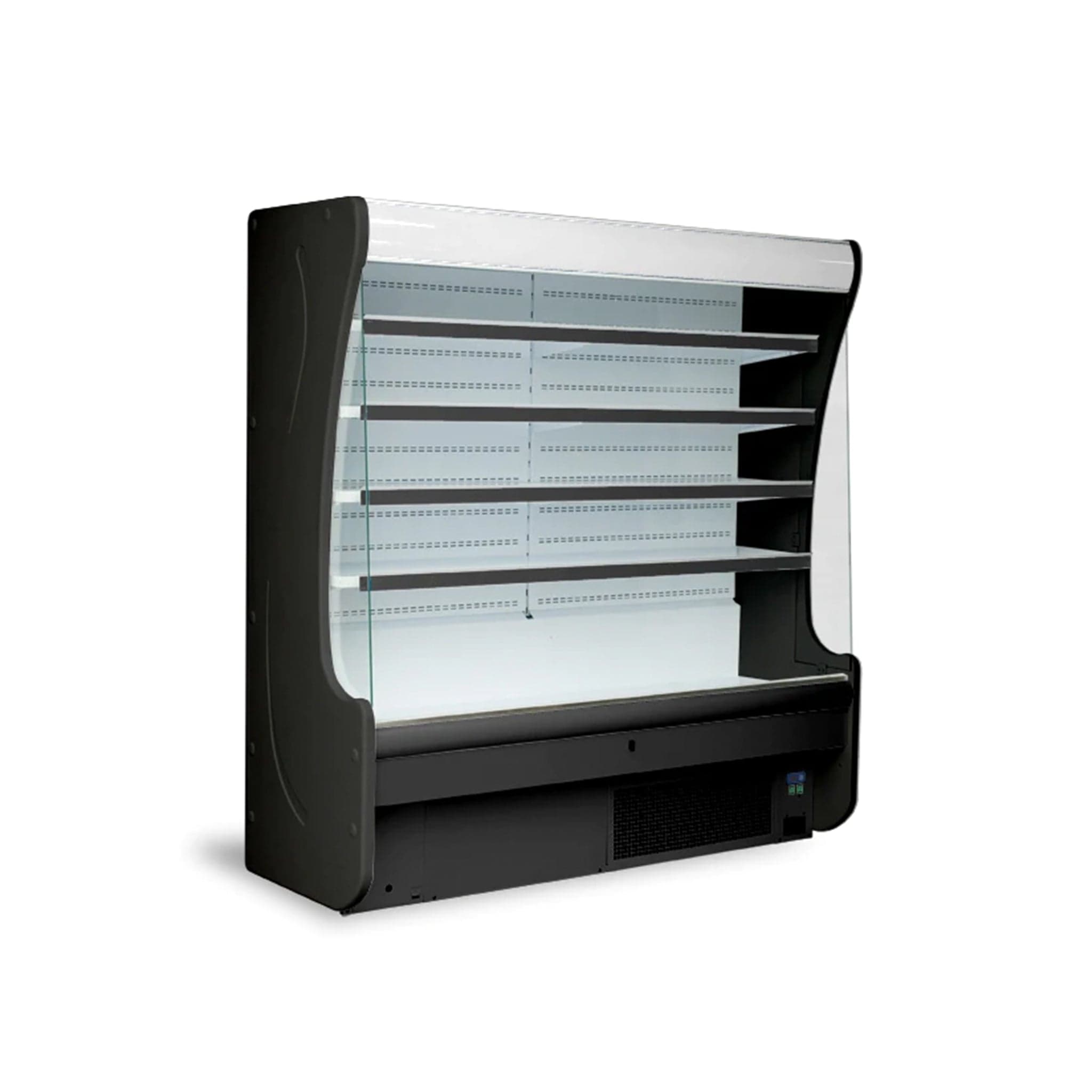
This guide explains how to correctly install, operate, clean and troubleshoot Igloo's refrigerated deli cases, salad cases, pastry cases and multi-deck open merchandisers, drawing on the manufacturer's own instruction manuals for each series.
Key takeaways
- Always connect each unit to its own dedicated circuit with the amperage shown on the serial plate; never use an extension cord or adapter.
- Level the case on a strong, dry surface and leave at least 10 cm of clearance behind the unit so air can circulate around the condenser.
- Wait a minimum of 2 hours after moving the unit before turning it on, to let the refrigerant settle.
- Clean using a moist cloth with warm water (not above 40°C) and a neutral detergent; avoid chlorine- or sodium-based cleaners.
- Refer to the exact model's instruction manual for the full troubleshooting table, alarm codes and parameter settings.
Which manual covers your Igloo display case
Igloo groups its refrigerated display cases into families, and each family has its own instruction manual. The model numbers on the serial plate tell you which manual applies.
The SAND and SANFID deli/meat/fish cases and the SSCD salad cases are covered by the Instruction Manual SAND10. The BSCD and B2SCD series of straight-glass deli cases and BSCFID fish cases are described in Instruction Manual B2SCD10. Salad display cases ESCD and countertop TCTD are covered by the ESCD & TCTD manual. Pastry cases in the CURP, CURLP and CURHP series are covered by the CURHP2 manual.
Open merchandisers: the 1OM and 2OM models are covered by the 1OM3 manual; 3OM and 6OM models by the 3OM3 manual; and 4OMSS and 4OMSSH models by the 4OMSS4 manual. For open merchandiser series 5OM, 7OM and 8OM, refer to the manual that ships with the unit, as these are not covered by the same documents.
Always keep the correct manual on hand. Every procedure and value in this guide comes from these Igloo documents.
Installation requirements and location
A qualified, licensed electrician must install the power supply and make all electrical connections to the unit, following local code. The unit must be plugged into a dedicated circuit that matches the amperage marked on the serial plate. Igloo's manuals forbid connecting it through an extension cord or adapter plug. The NEMA plug type depends on the model: 5-15R for smaller units, 5-20R for larger self-contained units, and permanent hard-wire connections for the largest models such as 3OM5 and above.
Set the case on a strong, level surface. Use the leveling legs to level it front-to-back and side-to-side. On casters, engage the brakes to immobilize the unit. Improper leveling can cause malfunction, noisy operation and poor condensate drainage.
Position the unit away from heat sources, direct sunlight, and moisture-generating equipment. The manuals consistently require sufficient ventilation around the entire unit; for multi-deck and open cases, a minimum distance of 10 cm (4 in.) from the wall is specified. High ambient temperatures will force the compressor to work harder, and humidity can lead to rust and condensation on glass and stainless surfaces.
Assembly and initial start-up
The display case may arrive partially disassembled for safe transport. Remove all protective foil from interior surfaces, shelves and bumpers. Clean the unit right after unpacking using a moist cloth with warm water (max. 40°C) and a neutral detergent. Do not use chlorine- or sodium-based products; they attack the protective layer. Remove any adhesive residues with extraction naphtha — never on plastic parts — and avoid other organic solvents. Never direct a water jet at the unit.
Assembly steps vary by series, so follow the sequence in your manual exactly. Typically you will mount glass side panels, attach the front glass pane, install the aluminum lamp housing and lighting, place shelves on their hooks or cross-bars, and finally fit the night screens. For self-contained units, place the condensate container or evaporation tray under the water outflow hose as shown in the manual.
After assembly, let the unit rest for at least 2 hours before plugging it in. This allows the refrigerant to settle after transport. Then turn on the main switch; the temperature on the Carel thermostat control panel is already pre-set at the factory. Turn on the light switch. Load the shelves only after the unit has reached its holding temperature.
Daily operation and temperature control
These Igloo cases maintain safe holding temperatures when the ambient environment stays within the design range. For deli, meat, fish and pastry displays the target temperature is +1°C to +4°C at an ambient temperature of +15°C to +25°C and relative humidity up to 55%. Salad cases (ESCD, TCTD and SSCD) hold +2°C to +8°C at up to 60% relative humidity. Open merchandisers 1OM and 2OM hold +1°C to +4°C at up to 55% humidity; 3OM, 6OM, 4OMSS and 4OMSSH hold the same +1°C to +4°C at up to 60% humidity.
The Carel electronic thermostat is factory pre-set and normally does not require daily adjustment. The control panel has a main power switch, a light switch, and the thermostat display. The thermostat shows the current cabinet temperature and, if a problem occurs, displays an alarm code.
During the day, keep the night screens stored away. After closing, pull the night curtain or fit the night screens to reduce energy use. Never block the rack screen or the ventilation holes inside the case; air must circulate freely. Load shelves evenly and do not exceed the maximum shelf load of 73 lb (33 kg) for open merchandiser shelves or 110 lb (50 kg) for deli-case shelves, as stated in the technical data tables. Place only products that are already at the correct storage temperature into the case.
Cleaning and routine care
Clean the exterior and interior surfaces as needed with a moist cloth, warm water (≤ 40°C) and a neutral detergent. Do not use chlorine, sodium-based cleaners or organic solvents other than extraction naphtha for adhesive removal, and avoid plastic surfaces when using naphtha. Never use a water jet or hose inside the unit. Dry all parts thoroughly after cleaning.
Pay special attention to the condenser. A dirty condenser reduces cooling efficiency and can shorten compressor life. The manual for your model includes a diagram showing how to access the condenser for cleaning. Use a soft brush or a vacuum cleaner to remove dust and debris; avoid damaging the fins. Igloo recommends a break in operation once a month to clean the interior, let the evaporator defrost naturally and clean the condenser: unscrew the sheet metal screws, lift the wind brace out of its catch and brush the condenser fins with a soft brush. A dirty condenser raises energy use and can damage the compressor.
Remove the condensate container periodically if your unit has an evaporation tray, and empty and rinse it according to the manual's guidance. Always unplug the unit or turn off the main switch before any maintenance work.
Troubleshooting and alarm codes
Each manual's Table of alarms and signals lists what the Carel controller can show. E0, E1 and E2 are errors on the control, defrost and condenser or product probes, and they reset by themselves once the fault clears; EE (unit parameter error) cannot be reset by the operator, EF (operating parameter error) is reset by hand, Ed means a defrost ended on its time limit, and CHt is the dirty condenser alarm, reset by hand after the condenser has been cleaned. Parameter changes beyond the set point are for a qualified technician.
Section 6.1, fault identification, gives the operator's checks. If the case does not work, make sure it is connected, that the supply is the 115 V, 60 Hz the maker specifies, and that the main switch and thermostat are on. If it runs but the lights are off, check the light switch and the lamp. Water under the case means checking that it is level and emptying the condensate container.
If it does not reach temperature with the lights on, check the main switch and the thermostat setting, clean the condenser if it is dirty, keep the room at or below 25 °C, allow enough time for the products to cool and keep the ventilation holes clear. A case that runs loudly should stand steadily and level, without touching furniture that vibrates; normal fan and compressor sounds are expected. Anything beyond these checks goes to an authorized refrigeration service company.
Service and repairs
Igloo display cases contain a sealed refrigeration system and electronic controls. Repairs must be carried out by an authorized refrigeration service company. Ask Norpex for help finding one. All manuals advise that the unit be serviced only by qualified personnel.
For any questions about your specific model, including replacement parts or alarm code meanings not covered in this guide, ask Norpex.
Common questions
What temperature should my Igloo deli case hold?
- Igloo's SAND and BSCD series deli and meat cases are designed to keep product at +1°C to +4°C when the room temperature is between +15°C and +25°C and relative humidity stays under 55%. Salad cases and some open merchandisers have a slightly wider range; check the technical data table in your manual.
Can I use an extension cord with my Igloo display case?
- No. Every Igloo manual explicitly prohibits extension cords and adapter plugs. The unit must have its own dedicated circuit rated for the amperage on the serial plate.
Why do I have to wait 2 hours before turning on a newly delivered case?
- The compressor's lubricating oil may have been displaced during transport. The 2-hour rest allows the refrigerant and oil to settle, preventing compressor damage on start-up. This requirement appears in all Igloo installation instructions.
How do I clean the glass and stainless steel without damaging the finish?
- Use a moist cloth with warm water (no hotter than 40°C) and a mild neutral detergent. Do not use chlorine bleach, sodium-based cleaners or organic solvents. For stubborn adhesive residue, use only extraction naphtha on metal surfaces, never on plastic. Never spray water directly onto the unit.
What should I do if the thermostat shows an alarm code?
- Look the code up in the Table of alarms and signals in your model's manual. E0, E1 and E2 are probe errors that clear on their own once fixed; CHt is the dirty condenser alarm, reset by hand after cleaning the condenser; EE and EF are parameter errors for a technician. If a code persists, call an authorized service company.