
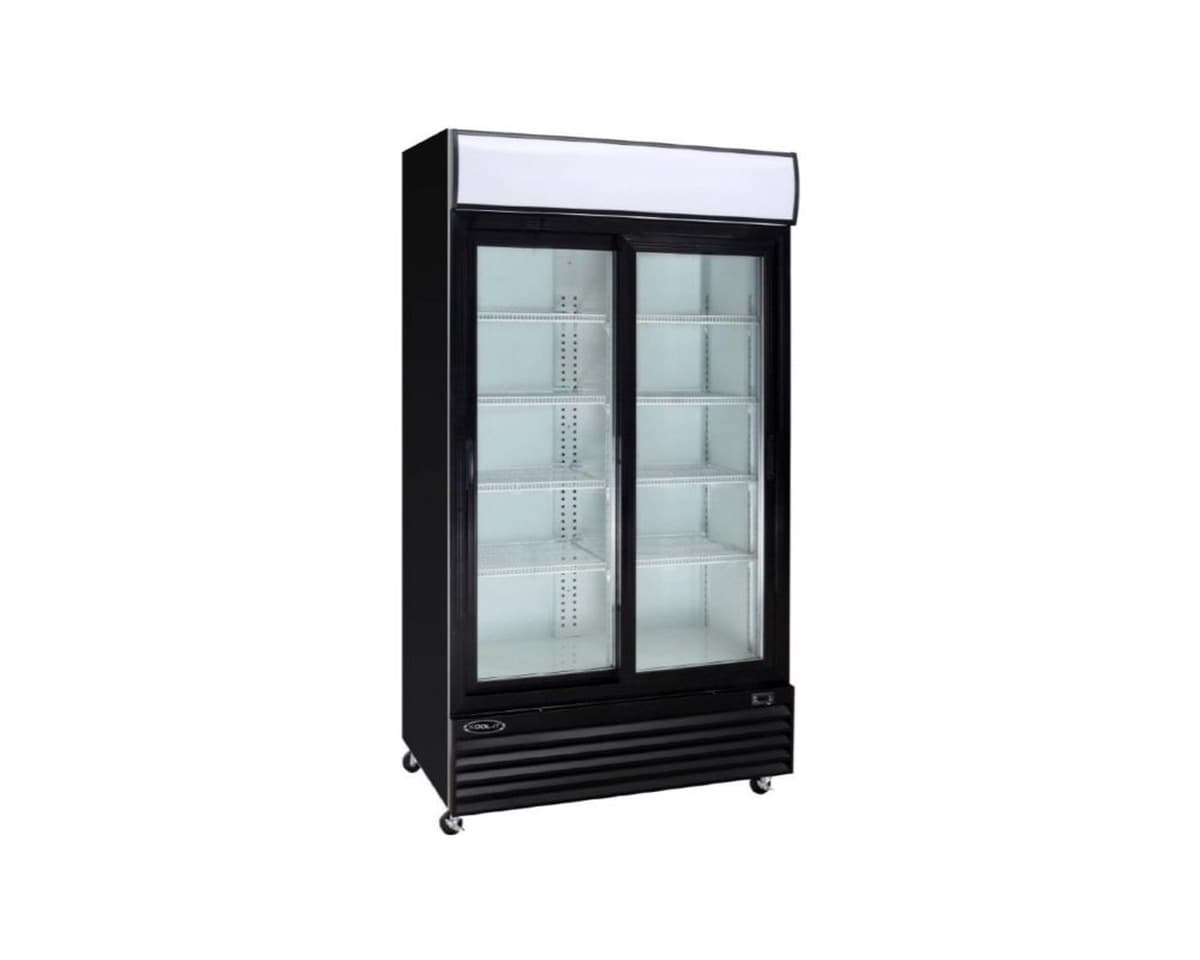
This guide provides step-by-step instructions for the safe installation, daily use, and maintenance of Kool-It glass door merchandisers. Following the manufacturer's recommendations helps ensure reliable cooling and extends equipment life.
Key takeaways
- Installation requires a qualified, licensed electrician and must comply with local codes.
- Keep the condenser coil clean: every 30 days in heavy-use kitchens, or at least every 90 days.
- Do not block air circulation inside the cabinet; leave space at the top rear for proper airflow.
- Use the digital controller to set and monitor temperatures; factory settings are 34–38°F for coolers and -7 to -3°F for freezers.
- For any malfunction, consult the troubleshooting table in the manual before calling for service.
Installation and location requirements
Kool-It glass door merchandisers are designed for indoor use only. The KGF-23 freezer manual specifies that the floor must support the total weight of the cabinet and its contents; a fully loaded unit can weigh up to 1500 pounds. Reinforce the floor if necessary.
For proper air circulation, the manual for the KGF-23 recommends at least 2 inches of clearance from any wall and 12 inches of clear space above the unit. The KOM-36XBK open merchandiser manual requires a minimum 10 cm (about 4 inches) clearance around all sides. Avoid placing the unit near heat sources, direct sunlight, or in hot corners.
Level the cabinet using the adjustable bullet feet (if equipped). A level unit ensures doors align correctly and prevents strain on the cabinet. Models with casters should have the front wheels locked during use. If the unit must be laid on its side during transport, the KGF-23 manual instructs waiting at least 24 hours before start-up to allow compressor oil to settle.
Electrical connection and start-up
All electrical work must be performed by a qualified, licensed electrician in accordance with local codes. The KGF-23 manual states that the unit must be connected to a dedicated circuit of the correct voltage and amperage. Refer to the serial tag on your specific model for exact electrical requirements. For example, the KGF-23 requires a 115V/60Hz/1Ph supply with a NEMA 5-15P plug, while the KGF-72DV needs a 4-wire L14-20R outlet for its dual voltage (115V and 230V).
Before plugging in the unit, ensure the ON/OFF switch is in the OFF position. The KOM-36XBK manual advises waiting 2 hours after moving the unit before connecting power, to let the compressor stabilize. After a power outage, unplug the refrigerator and wait at least 5 minutes before restarting.
Once connected, turn the unit on. The ON/OFF switch on the front bottom panel will glow green when the unit is powered. The light switch next to it controls the interior lights.
Understanding the controls and settings
Kool-It units use a digital temperature controller. The KGF-23 manual describes the front panel commands: press the SET key briefly to display the current setpoint; hold it for more than 2 seconds to change the setpoint. Use the up and down arrows to adjust the value, then press SET again to confirm. The factory default temperature range is 34°F to 38°F for refrigerators and -7°F to -3°F for freezers.
The controller also manages defrost cycles. For refrigerators, the unit automatically defrosts every 6 hours; the defrost symbol appears on the display. The cycle ends when the coil reaches 41°F or after 20 minutes. Freezers defrost every 6 hours using a heater, ending at 45°F coil temperature or after 20 minutes. A manual defrost can be started by pushing the defrost key for more than 2 seconds.
The KOM-36XBK manual explains a similar controller: press SET to view or change the setpoint, use the light button to toggle interior lights, and hold the defrost button for 6 seconds to manually start or stop defrost. The defrost LED indicates cooling status: on when cooling, off when at setpoint, flashing during a delay.
To lock the keyboard and prevent accidental changes, hold the up and down arrow keys together for more than 3 seconds until 'POF' appears. Repeat to unlock.
Daily operation and loading
Proper loading is critical for maintaining temperature. The KGF-23 manual warns not to pack the cabinet so full that air cannot circulate. Refrigerated air is discharged at the top rear of the unit; it must flow down to the bottom. Shelves have a rear turn-up to prevent blocking, but bags and tall items can still obstruct airflow. Place large boxes and tall stacks on lower shelves.
The KGM-36 instruction manual emphasizes that items should not block the cold air inlet and suction outlet. Overpacking or frequent door openings can cause inadequate cooling. For open merchandisers like the KOM series, ensure the air curtain is not disrupted by overhanging products.
Monitor the digital display regularly. If the temperature deviates, check for obstructions, door seal issues, or a dirty condenser. The unit will cycle off periodically for defrost; this is normal.
Cleaning and maintenance
Disconnect power before any cleaning. The KGF-23 manual recommends cleaning the interior and exterior with soap and warm water. For tougher stains, use ammonia and water or a non-abrasive liquid cleaner. Always rub stainless steel with the grain to avoid marring. Never use abrasive cleaners, steel pads, or wire brushes, as they scratch surfaces and damage gaskets.
The condenser coil must be cleaned regularly. The KGF-23 manual advises cleaning every 90 days, or every 30 days if the environment is greasy or dusty. Use a brush, vacuum, or compressed air. For heavy grease, apply a commercial-grade condenser cleaner and blow through with compressed air. Never use a high-pressure water wash, as it can damage electrical components. Neglecting coil cleaning can cause high temperatures and compressor failure.
Gaskets should be cleaned with warm soapy water to prevent mold and maintain elasticity. Avoid full-strength cleaners that can make gaskets brittle. The KGF-23 manual notes that gaskets are 'Dart' style: pull the old gasket out of the groove in the door and press the new one into place.
For open merchandisers, the KOM-36XBK manual says the condenser needs cleaning every month. If the display shows 'EE4', clean the condenser immediately. If the message persists, contact service.
Check the drain line periodically. The KGF-23 manual explains that a disconnected or clogged drain can cause water accumulation inside the unit. Ensure the drain tube is connected from the evaporator housing to the drain pan, and that the unit is level.
Troubleshooting common issues
Before calling for service, consult the troubleshooting table in your unit's manual. The KGM-36 manual lists several common problems: no refrigeration at all (check power supply, plug, fuses, circuit breaker); inadequate cooling (check temperature setting, air blockage, door openings, condenser clogging); excessive noise (ensure feet are firmly on the floor, no contact with walls or objects); and condensation on the exterior (normal in high humidity; wipe with a dry cloth).
The KOM-36XBK manual provides additional troubleshooting: strange noise from the bottom shelf may indicate a broken fan blade (call service); unit not getting cold could be due to being off, refrigerant leak, or failure (call service); defrost water overflowing may be caused by a damaged heating tube, water-level controller failure, or high ambient humidity (replace parts or improve conditions).
If the unit displays an alarm code, the KGF-23 manual explains how to view and reset alarms: press the up or down arrow to see the alarm signal, then hold SET until 'rst' appears, and press SET again to reset.
Always note the model and serial number (located inside the unit on the left wall near the top) before contacting service.
When to call for service
For any issue that cannot be resolved by the basic checks above, contact the manufacturer's authorized service network. Do not attempt to repair refrigeration components yourself.
If you notice abnormal noise, smell, or smoke, the KOM-36XBK manual instructs to cut off power immediately and call for service. Do not restart the unit until the problem is rectified.
For questions about a specific Kool-It model or to order replacement parts like gaskets or light bulbs, ask Norpex. Norpex does not perform installation or repairs; always use a qualified, licensed technician for electrical connections.
Common questions
How often should I clean the condenser coil?
- The KGF-23 manual recommends cleaning every 90 days, or every 30 days if the unit is in a greasy or dusty environment. Use a brush, vacuum, or compressed air. For heavy grease, a commercial condenser cleaner may be needed.
What are the factory temperature settings for Kool-It coolers and freezers?
- According to the KGF-23 manual, the factory setting for refrigerators is 34°F to 38°F, and for freezers it is -7°F to -3°F. These can be adjusted using the digital controller.
Why is water collecting inside my cooler?
- The KGF-23 manual explains that a disconnected or clogged drain tube can cause water accumulation. Check that the drain tube is connected from the evaporator housing to the drain pan, and that the unit is level. Also ensure the drain line is free of obstructions.
What does the 'EE4' message on my open merchandiser mean?
- The KOM-36XBK manual indicates that 'EE4' means the condenser needs cleaning. Clean the condenser immediately. If the message reappears after cleaning, contact service.
Can I replace the door gasket myself?
- Yes. The KGF-23 manual states that gaskets are 'Dart' style and can be pulled out of the groove and replaced by pressing the new one into place.